
Keep your conversion data without the pixels.
Every advertising pixel on your site is someone else's code running in your visitors' browsers, and you have to trust that it only collects what you agreed to. Otus removes that back door. Your conversions go to Google Ads, Meta, TikTok and ChatGPT from our servers instead, and only the events you switch on, so your campaigns keep optimising while you decide exactly what each platform receives.
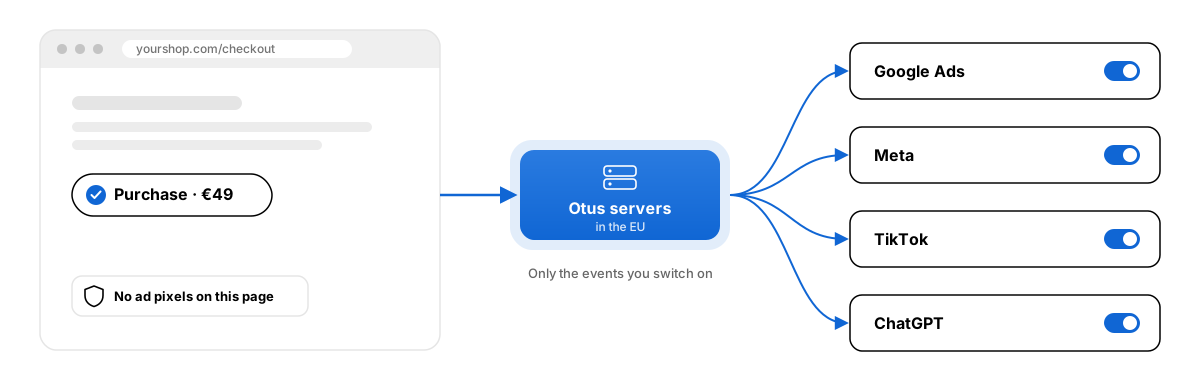
More of your conversions reach the ad platforms.
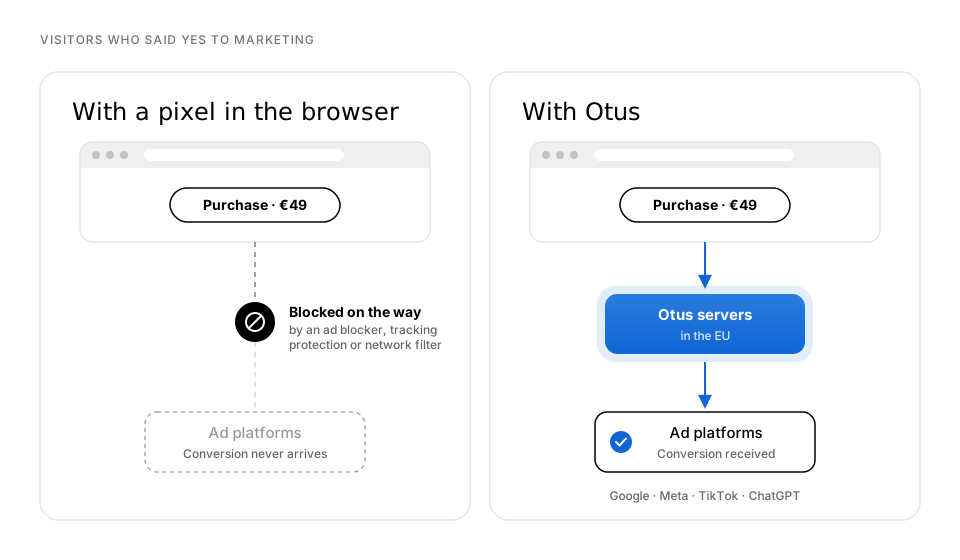
A pixel in the browser misses conversions, even from visitors who said yes to marketing. Ad blockers stop it loading, browser tracking protection cuts it short, and VPNs and company networks block requests to ad platforms.
Otus sends conversions from our servers instead, so for visitors who said yes to marketing they reach Google, Meta, TikTok and ChatGPT without depending on the browser.
Connect once, then choose what to send.
Step 1
Connect a platform
Link your ad account in Otus under Settings. For Google you sign in with your Google account, and for the other platforms you paste in an access key from their ad manager.
Step 2
Pick your events
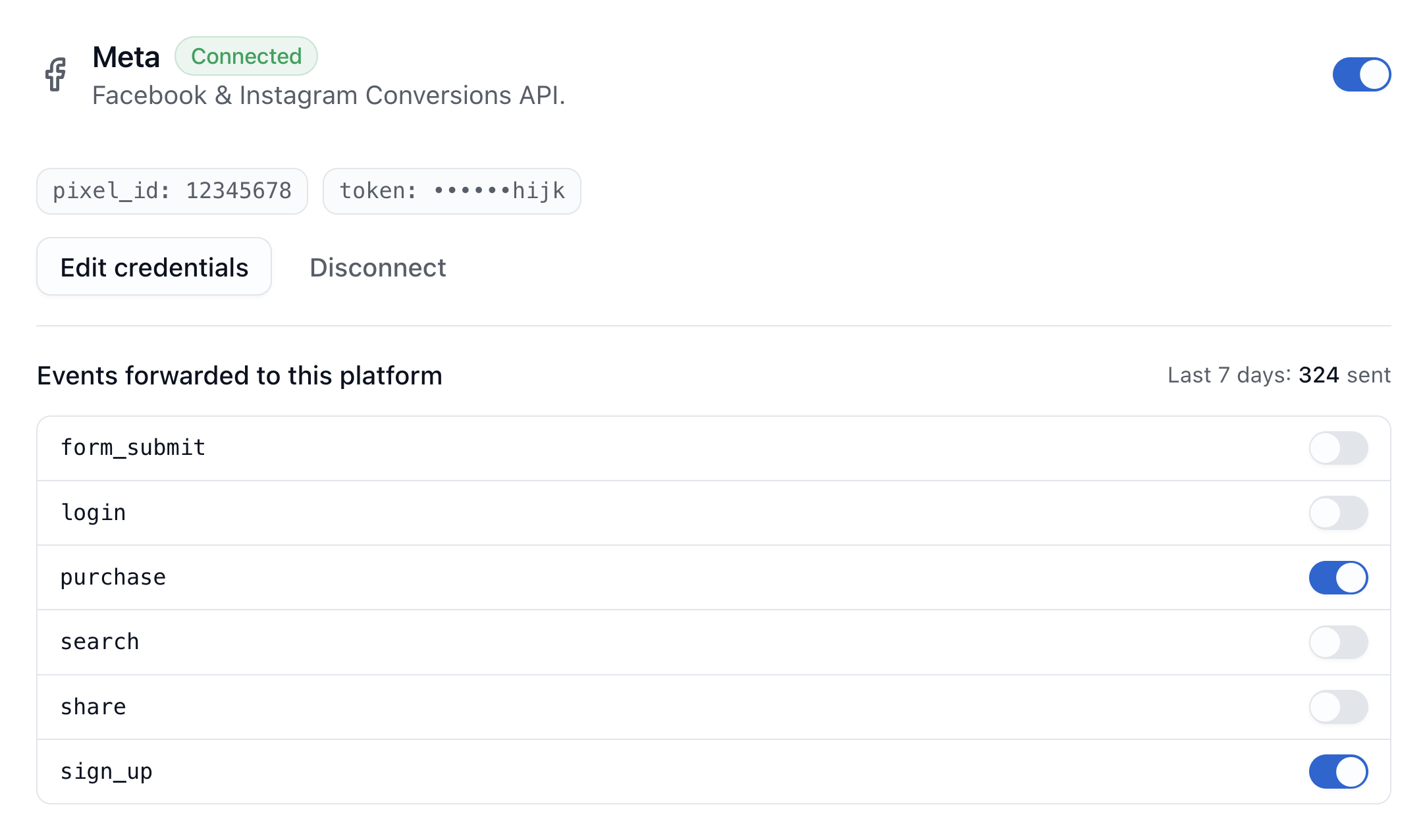
Every event is off until you switch it on. You decide what each platform gets, for example purchases to Google and leads to Meta.
Step 3
Otus does the rest
Purchases, sign-ups, add-to-carts and other standard events are translated into each platform's own format automatically. Anything else is sent as a custom event under the name you already use.
One setup, four destinations.
Google Ads
Sign in with your Google account and pick a conversion action. Conversions are matched on the click ID Google adds to your ad links (gclid, gbraid or wbraid).
Meta
Connect with your dataset ID and an access key from your Meta business account. Conversions are matched on the click ID Meta adds to your ad links (fbclid), together with the visitor's browser type, which Meta requires.
TikTok
Connect with your pixel ID and an access key from your TikTok ad account. Conversions are matched on the click ID TikTok adds to your ad links (ttclid).
ChatGPT
Connect with your pixel ID and an API key from OpenAI Ads Manager. Conversions are matched on the reference OpenAI adds when someone clicks your ad (oppref).
We deliberately leave personal details out.
No enhanced conversions, by choice
Many tools improve matching by hashing your customers' email addresses and phone numbers and sending them to the ad platforms. Otus deliberately doesn't support that. Conversions are matched on the click ID from the ad link, and for Meta also the visitor's browser type, because Meta requires it. Nothing else is sent.
Privacy you can guarantee
As long as an ad pixel runs on your site, its code decides what it collects, not you. With Otus there's no pixel and no back door, so you know exactly what leaves your site: only the conversions you switch on.
Only for consenting visitors
Conversions are only sent for visitors who agreed to marketing. Everyone else is still counted in your own analytics, but nothing about them goes to an ad platform.
You'll know when something stops working.
Each connection shows how many conversions were sent in the last 7 days. Temporary errors are retried automatically. If a platform rejects your access key, Otus pauses that connection and flags it in Settings, so your conversions don't quietly stop arriving.
Conversion forwarding from €49 a month.
That includes your analytics, the AI analyst and up to 10 websites. There's no separate server to host and no extra tool to pay for.
Questions about conversion forwarding.
Can't find your answer? Reach us at info@otusanalytics.com.
See what your new analyst finds.
Add Otus to your site in under five minutes and get your first weekly summary within a week.